What Actually Happens When You Format a Hard Drive
by Scott
There is a moment that most computer users have experienced, standing at a dialog box that asks whether they are sure they want to format the drive, knowing that clicking yes will somehow make everything on it disappear. The word format has a finality to it that suggests something dramatic and irreversible is about to happen, a thorough erasure of everything the drive has ever held. The reality of what actually happens when you format a drive is considerably more interesting than this impression suggests, and in some cases considerably less final, which has implications for privacy, data recovery, and the way storage devices actually work that most people have never had reason to investigate.
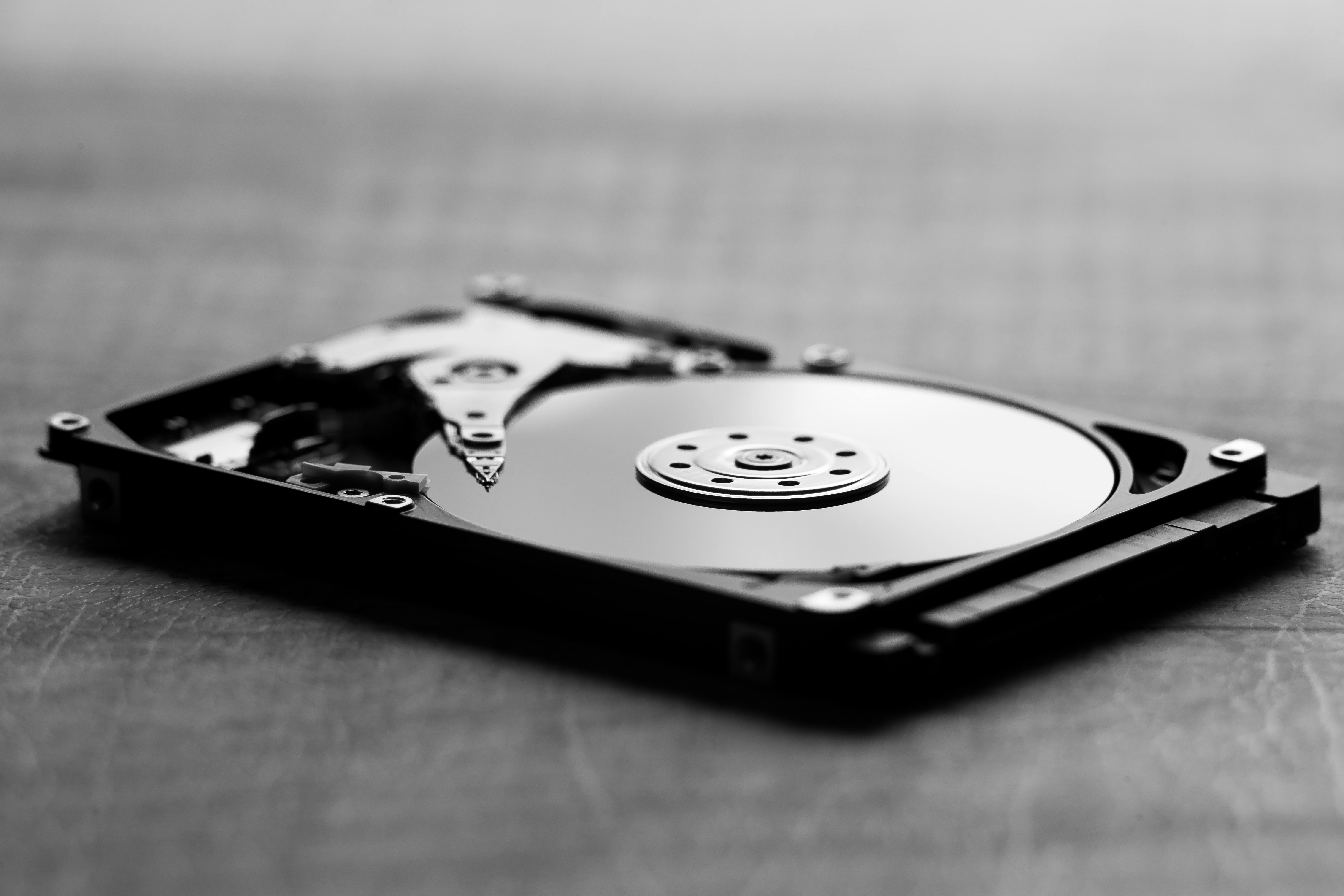
To understand formatting, it helps to first understand how a hard drive stores data and how the operating system keeps track of what is stored where. A traditional spinning hard drive records data as magnetic patterns on rotating platters coated with a thin layer of magnetic material. The surface of each platter is divided into concentric rings called tracks, and each track is divided into segments called sectors. A sector is the smallest unit of storage that the drive hardware can address independently, traditionally five hundred and twelve bytes in size, though modern drives use four thousand and ninety-six byte sectors. The drive’s firmware manages the physical mapping of data to these sectors, and the operating system works with a higher-level abstraction that organises sectors into clusters, groups of consecutive sectors treated as a single allocation unit.
The file system, which is the software layer that organises data on the drive, maintains a set of data structures that track which clusters are in use, which are free, and where the data belonging to each file is located. The most important of these structures is the file allocation table in FAT-based file systems, or the master file table in the NTFS file system that Windows uses by default, or the inode table in Linux file systems like ext4. These structures function as the drive’s index, the catalogue that tells the operating system where to find each file and how much space is available for new files. Without a valid file system, the operating system has no way to interpret the data on the drive, and what would otherwise be a collection of files appears as an undifferentiated mass of bytes.
A quick format, which is the default option in most operating systems when formatting a drive, does something much more modest than most users imagine. It does not touch the data on the drive. It creates a new, empty file system by writing new versions of the index structures, essentially replacing the drive’s catalogue with a fresh, empty catalogue. The underlying data, all the files that were previously stored on the drive, remains physically present on the platters in exactly the same magnetic patterns it was in before the format. The operating system can no longer find those files because the index that pointed to them has been replaced with an empty index, but the data itself has not been altered. From the operating system’s perspective the drive is empty. From a data recovery perspective, the drive is almost entirely intact.
This is why data recovery after a quick format is not only possible but often straightforward. Specialised recovery software can scan the raw sectors of the drive looking for file signatures, the characteristic byte patterns that appear at the beginning of specific file types, such as JPEG images, Microsoft Office documents, PDF files, and video formats. By identifying these signatures and following the structural conventions of each file type to determine how much data follows the signature and how the file is organised, recovery software can reconstruct files directly from the raw data without relying on the file system index at all. Recovery from a quick format frequently returns most or all of the files that were present before the format, particularly if the drive has not been heavily used after the format, because new data written after the format begins overwriting the old data from the beginning and progressively destroys the recoverable content.
A full format, which takes considerably longer, goes a step further by writing zeros or another pattern across every sector of the drive in addition to creating a new file system. When a sector contains all zeros, its original content has been overwritten and cannot be directly recovered by reading the sector. A full format therefore provides a meaningful level of data erasure for most practical purposes. Windows XP and earlier versions wrote zeros during a full format. Modern versions of Windows write zeros across the entire drive, which for a large drive can take several hours. The long duration of a full format is entirely accounted for by the time required to write data to every sector of the drive, since the actual file system creation takes only seconds.
Whether a full format that writes zeros provides sufficient security for sensitive data depends on the threat model and the type of storage being erased. For mechanical spinning drives, the question of whether data overwritten with zeros can be recovered through forensic analysis of the residual magnetic patterns on the platter has been the subject of genuine scientific research and considerable mythology. The most influential work on this question, a 1996 paper by Peter Gutmann, argued that the magnetic medium on a hard drive retains slight residual signals from previous data even after overwriting, and proposed a method of overwriting with multiple passes of different patterns to eliminate these residual signals. The Gutmann method, with its thirty-five pass overwriting procedure, became widely cited and is implemented as an option in several disk wiping tools.
More recent research using modern drives has cast significant doubt on whether multi-pass overwriting provides any practical security advantage over a single pass of zeros for current hard drive technology. A 2008 study by researchers at the University of California found that a single overwrite pass was sufficient to prevent recovery of data from modern hard drives using current forensic techniques. The residual signal that Gutmann’s method was designed to address was a characteristic of older drive technology with larger magnetic domains that stored data in ways that left more residual signal after overwriting. Modern drives with their much smaller magnetic domains and higher recording densities do not exhibit the same residual signal characteristics, and a single overwrite is generally considered adequate for all but the most extreme security requirements involving nation-state level adversaries with access to advanced laboratory equipment.
Solid state drives, which have largely replaced spinning drives in laptops and are increasingly common in desktop computers, present a fundamentally different and significantly more complicated picture when it comes to formatting and data erasure. Understanding why requires understanding something about how solid state drives manage their storage, because it differs in important ways from the simple sector-based model of spinning drives.
Solid state drives store data in flash memory cells, which can be programmed with data and then erased to be reprogrammed. Unlike a spinning drive where data can be written to any sector regardless of its current content, a flash memory cell must be erased before it can be written with new data, and erasing is done at the granularity of a block, which is a much larger unit than an individual page, the unit at which reading and writing occurs. This asymmetry between write granularity and erase granularity is managed by a component called the flash translation layer, firmware within the drive that maps the logical addresses the operating system uses to the physical locations in the flash memory where data is actually stored.
The flash translation layer performs a function called wear leveling, which distributes writes across the entire flash storage to prevent any individual cell from being written to so many times that it wears out before the rest of the drive. Wear leveling means that when the operating system writes data to a particular logical address, the flash translation layer may direct the write to a physical location that is different from where the previous data at that logical address was stored. The previous data remains in its original physical location, marked as invalid in the flash translation layer’s internal tables, until the garbage collection process runs and erases the block containing it to make it available for future writes.
This architecture has profound implications for data erasure on solid state drives. When the operating system formats a solid state drive by writing zeros to all logical addresses, the flash translation layer maps those write operations to physical locations in the flash memory, but the old data that was previously at those logical addresses may remain in other physical locations in the flash that the operating system has no visibility of and cannot directly address. The operating system believes it has overwritten everything, but the flash translation layer’s internal remapping means that copies of old data may persist in physical locations that are invisible to the operating system and that would only be accessible to someone with direct access to the flash memory chips and knowledge of the drive’s internal mapping tables.
The practical implication is that the conventional advice about securely erasing a drive by overwriting it with zeros, which works reasonably well for spinning drives, is not reliably effective for solid state drives. The drive manufacturer is aware of this and typically provides a secure erase command in the drive firmware that instructs the flash translation layer to perform a cryptographic erase of all the flash memory cells, including those that are invisible to the operating system. This command, called ATA Secure Erase on drives that support the ATA interface or Sanitize on more modern drives, performs the erasure at the firmware level where the internal mapping is known and all physical storage locations can be addressed.
Many modern solid state drives also use hardware encryption as a standard feature, encrypting all data written to the flash memory with a key stored within the drive. If this encryption is active, a secure erase of the encryption key renders all data on the drive cryptographically inaccessible, because the data is encrypted with a key that no longer exists anywhere. This approach, called cryptographic erasure, is fast, reliable, and effective regardless of the internal architecture of the flash memory, because it does not require actually overwriting the data but simply destroying the means to decrypt it. The effectiveness of cryptographic erasure depends entirely on the security of the key management within the drive, and drives with weak key management or with keys that can be reconstructed from information accessible outside the drive would not provide the level of security that the approach implies.
The operating system’s interaction with the drive during a format has evolved with drive technology. When a solid state drive is formatted and files are deleted from it, the operating system can use a command called TRIM to inform the drive that specific logical addresses are no longer in use. This allows the flash translation layer to proactively mark those physical locations as eligible for erasure and recycling during garbage collection, rather than waiting until they are needed for new writes. TRIM improves the long-term performance of solid state drives by reducing the amount of garbage collection required during write operations, and it has the secondary effect of accelerating the eventual overwriting of deleted data, since marked blocks are erased during garbage collection. However, TRIM does not immediately erase data. It merely notifies the drive that the data can be erased at a convenient time, which may be immediately or may be at some point in the future depending on the drive’s garbage collection scheduling.
The partition table, which lives at the very beginning of a storage device and describes how the device is divided into regions called partitions, is a separate structure from the file system and is sometimes modified by format operations and sometimes not. Formatting a partition creates or overwrites a file system within that partition but typically does not alter the partition table itself. Deleting a partition removes its entry from the partition table but leaves all the data within the former partition untouched. The distinction between formatting and deleting a partition is therefore similar to the distinction between replacing an index and destroying the map that shows where the index is located, with the underlying data remaining intact in both cases.
The next time you stand at a format dialog box, you now know that clicking yes does not cause the dramatic erasure that the word suggests. It creates a new empty index and, in the case of a quick format, leaves essentially everything you previously stored exactly where it was. The thoroughness of what follows depends on whether you choose a full format, what type of drive you are formatting, whether the drive has hardware encryption, and whether you use the drive’s own secure erase command. Formatting a drive and selling it or discarding it without understanding these distinctions is one of the most common ways that people inadvertently leave personal data recoverable by whoever acquires the drive after them, a practical consequence of a technical reality that the reassuring simplicity of the format dialog box does a poor job of communicating.